mascot is on CRAN: live, mood-driven mascots for Shiny and Quarto
Bringing expressive state feedback, visible status text, and accessible motion to interactive R applications
The mascot package is now on CRAN: add mood-driven characters to Shiny apps and Quarto pages, with visible status text, speech bubbles, click menus and reduced-motion support.
Published
2026-11-12
mascot 0.1.0 is on CRAN
The mascot package is now on CRAN: a small animated character for Shiny apps and Quarto pages that tells your users what the app is doing. It is more than a face:
Moods and status text: five moods on every character, with a status line always shown beside the face, so a mood never carries meaning alone.
Speech bubbles: short messages that close after a few seconds, or stay until the visitor closes them.
Click actions and popup menus: a click can run an action or open a menu, and your Shiny server reads what was chosen.
Floating or inline: pin a mascot to a corner of the page and let visitors minimise it, or place it in the layout.
Four characters, your colours: 34 ready-made palettes, your own brand colours, and light and dark mode.
Reduced motion: the browser’s prefers-reduced-motion setting is honoured.
Shiny and Quarto: live mood changes from server code in Shiny, and the same characters in rendered Quarto pages.
Install the released version directly from CRAN:
install.packages("mascot")
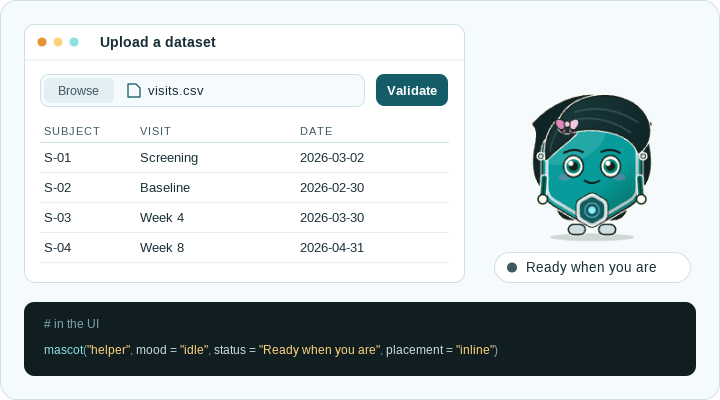
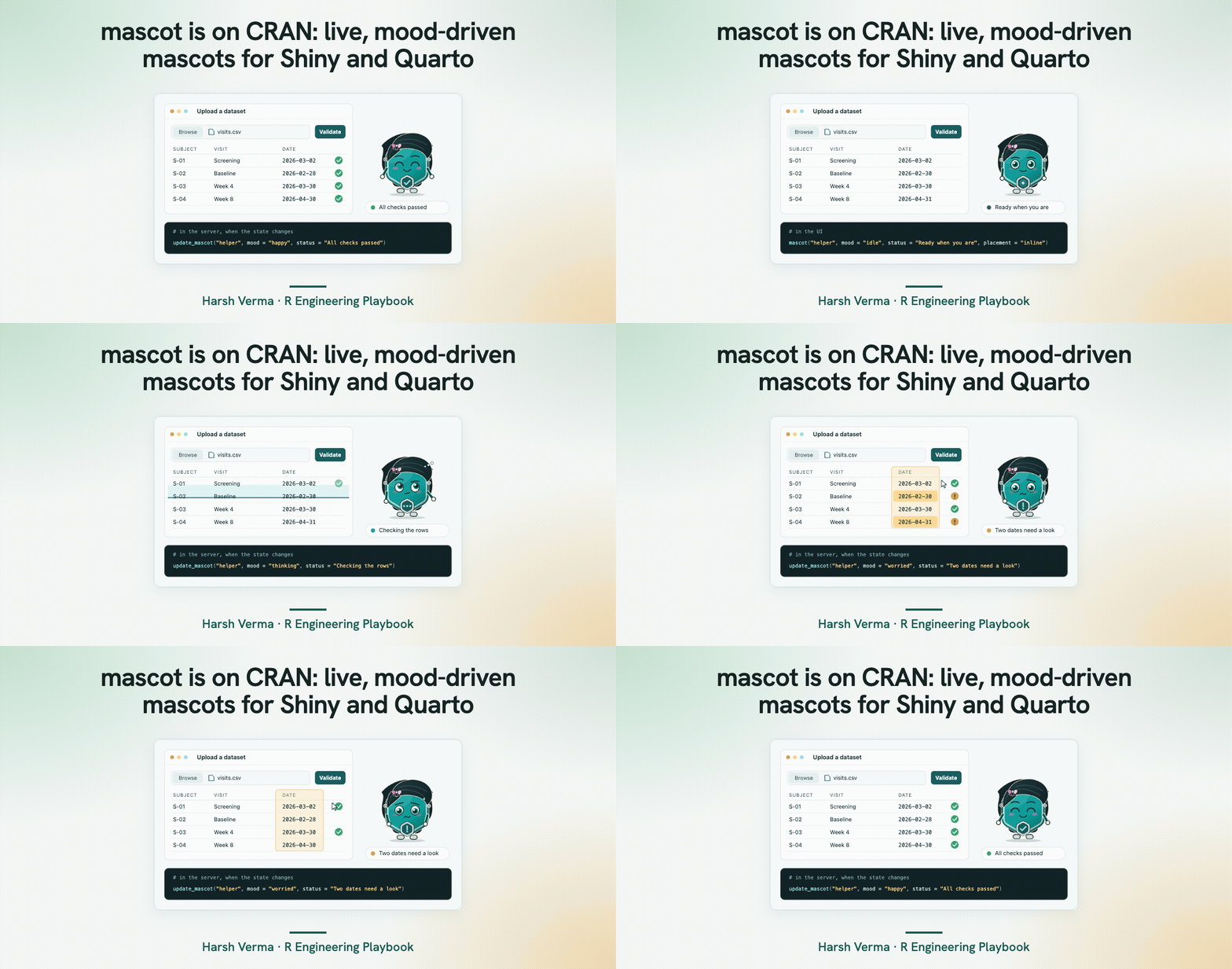
Here is Tessa, the default mascot, reacting to actions in a small Shiny review workflow:
A short animation: Tessa sits beside a small Shiny form. She is idle, then thinking while the rows are checked, worried when two dates need a look, and happy when they are fixed, with her status text beside her each time and the matching update_mascot() call below.
It is meant for apps where a user needs to see at a glance that something has changed.
The usual approach: spinners, toasts, and red text
Most Shiny applications reach for three conventional tools when communicating status:
Spinners: A spinner signals that R is busy, but it communicates only binary activity: it cannot explain what is happening or whether a step completed normally. When computation finishes, the spinner vanishes without leaving confirmation.
Toast notifications: Pop-up messages disappear on a timer (shiny::showNotification() closes after 5 seconds by default). If a user looks away, the notification expires unread.
Red text alerts: Warning text conveys urgency, but it sits wherever the layout put it and says nothing when an operation succeeds. Colour alone also excludes people who do not see it the same way: the Web Content Accessibility Guidelines say colour must not be the only way to convey information.
None of these tools provides a stable visual companion that conveys progress, snags, and completion within a consistent layout.
The R way: mascots with moods and status
The mascot package introduces a dedicated UI element paired with server-side updates. You place a character in your UI with mascot() and update its mood, status message, speech bubble or click menu from the server with update_mascot().
A mascot can also talk and take clicks. This one sits in the bottom-right corner, can be minimised, shows a message until it is closed, and opens a menu when clicked. The server reads the chosen item from input$helper_menu:
ui <-fluidPage(mascot("helper",bubble =mascot_bubble("Need a hand with the form?", duration =Inf),placement =mascot_placement("bottom-right", minimise =TRUE),click =mascot_popup_menu(c(about ="About this form", reset ="Start again")) ))server <-function(input, output, session) {observeEvent(input$helper_menu, {if (input$helper_menu =="reset") {update_mascot("helper", mood ="idle", status ="Ready when you are") } })}
The date check from the animation
The animation above is a small review form: paste visit dates, press Check, and Tessa reports what the check found. The app keeps the check and the mascot apart. A plain function counts the dates that need a look, and a second one turns that count into a mood and a status line:
mascot_state <-function(check) {if (check$n_rows ==0L) {return(list(mood ="idle", status ="Paste some dates to check")) }if (check$n_bad ==0L) {return(list(mood ="happy", status ="All checks passed")) } status <-if (check$n_bad ==1L) {"One date needs a look" } else {paste(check$n_bad, "dates need a look") }list(mood ="worried", status = status)}
The server then hands that state to the mascot. Because the state comes from a plain function, you can test it without a browser, and the status line is wording you can review:
observeEvent(result(), { state <-mascot_state(result()) mascot::update_mascot("reviewer", mood = state$mood, status = state$status)})
The companion script at the end of this post holds the whole app and a shiny::testServer() check of it. If you give update_mascot() an argument it cannot use, it warns and leaves the mascot unchanged, so a test can use expect_no_warning() to catch that. It does not reject a mood name it has never heard of, so keep the moods your app uses in one place, as above.
4 characters, 5 moods, status text
All characters share five standard moods: "idle" (at rest), "thinking" (working on something), "happy" (something went well), "worried" (something needs attention) and "celebrating" (a big success). mascot_moods() lists them with their descriptions:
Here is every character in every mood, each with the status line it shows by default. This is not a screenshot: the chunk below ran when this page was rendered, and the mascots are drawn in your browser. It is also how you put mascots in a Quarto page, so it shows the capability and the Quarto integration at once.
The mascots breathe and blink, and follow this page’s light and dark mode. In a Quarto document the mood and status text are fixed when the page is rendered, so there are no live server updates; changing the mood while someone watches needs Shiny. Today, embedding a mascot in Quarto takes an R code chunk like the one above. A dedicated Quarto shortcode is planned for version 0.2.0, so authors can insert characters directly in Markdown.
The rows are the four built-in characters:
Tessa (Hexonians, stable): The default character, a slim teal hexagon with a silver ring and a chest badge whose icon shows her mood. Her status lines sound like a sturdy workbench (“Working out how the parts fit”, “Finished, and built to last”), which suits tutorials and documentation.
Sela (Hexonians, stable): A lilac hexagon with violet hair, flanked by time blocks that overlap during a clash and slide apart once it is sorted (“Direct schedule clash detected”). Suits schedules and bookings.
Knurl (Visorfolk, experimental): A single-wheeled repair robot with a clamp arm and a screen visor. It keeps to clipped readouts (“Queue idle”, “Task repaired”), which suits queues and batch jobs.
Neer (Elementals, experimental): A water character in blue tones with a shell, calm and observant. Her status lines are quiet (“Checking the inputs”, “Some fields need attention”), which suits form checks.
The design enforces a core rule: status text is always displayed beside the character. The mascot wiggles briefly on mood changes to draw the user’s eye, but the visible text ensures the exact meaning is unambiguous.
For visitors who prefer reduced motion (prefers-reduced-motion), mascot honours that browser setting automatically: the wiggle animation is omitted, and the character transitions directly to its new expression. You can also turn off movement programmatically using motion = FALSE or configure motion timings with mascot_motion_settings().
Try it before you use it: the studio
Before writing application code, you can explore every character, mood, and argument in the interactive mascot studio. The studio is experimental and relies on optional packages bslib (0.7.0 or later) and knitr:
mascot::mascot_studio()
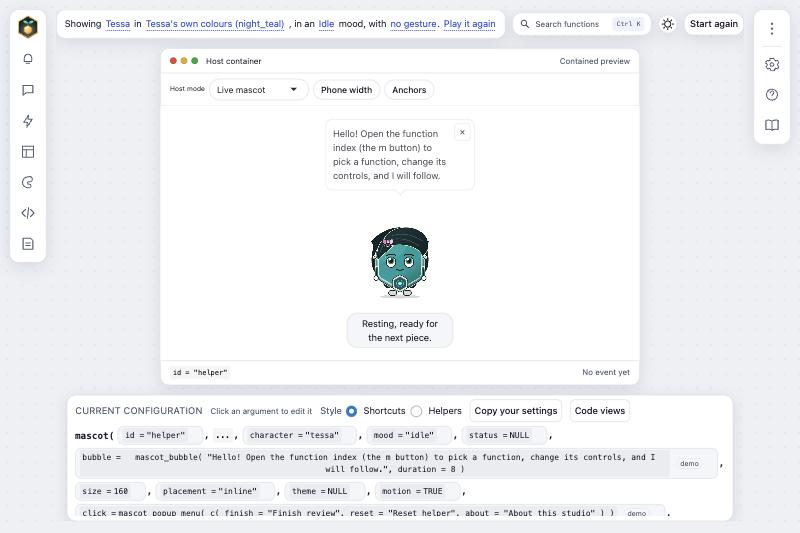
The studio runs locally on your computer without internet access. You can select any character, tweak parameters—such as placement, sizes, speech bubbles, and gestures—and see the character react live. Beneath the preview, the studio displays the exact R code required to reproduce what you see.
The mascot studio in a browser: Tessa in a preview pane with a speech bubble and her status line, and the R code for her current settings underneath.
To explore theming and check accessibility, run:
mascot::mascot_studio(view ="theme")
This view lets you test named palettes, custom brand hex codes, or bslib theme colours. Its Check tab shows every mood in light and dark mode and warns about low contrast.
Built for regulated work
mascot is built for GxP work. These are the design choices that matter there:
Offline by design: every script and style ships inside the package, so drawing a mascot needs no internet access.
Deterministic drawing: a frame is worked out from the character and its state only. The engine never reads the clock to draw and never calls Math.random(), so the same inputs give the same drawing. Blinking follows a seeded rule rather than chance.
Light and dark mode: a mascot follows your bslib colour toggle or Quarto’s theme mode.
Accessible semantics: a mascot without a click is a picture for screen readers, and keyboard focus skips it. Give it a click action (mascot_action()) or a menu (mascot_popup_menu()) and it becomes a button: Enter or Space activates it and screen readers announce its label.
In regulated workflows, use mascotbeside your application’s field errors and audit tables, never instead of them. A friendly character provides situational awareness, but it does not replace formal form validation, explicit discrepancy logs, or verified data exports.
What is experimental
Tessa and Sela are the stable characters in 0.1.0. Knurl, Neer, mascot_studio(), free dragging (drag = "free"), custom CSS variable styling and automatic mapping of bslib theme colours are experimental, so their arguments and results may change.
You can already describe your own character in a JSON file and check it with mascot_check_character(). That is experimental too, and saving and registering characters comes in a later release. The package site has the format guide.
Where next
With version 0.1.0 on CRAN, you can start adding live characters to your internal Shiny applications and Quarto dashboards. Version 0.2.0 is planned to add the Quarto shortcode.
The date-check app from the animation: a function that checks visit dates, the function that turns the result into a mood and a status line, the Shiny app, and a shiny::testServer() check of the server logic. Requires {shiny} and {mascot}. Its functions have tests that check the flagged rows and the moods, and that catch an unusable update_mascot() argument.
NoteFull script: review-demo.R
# A small Shiny form whose mascot reports what a date check found: the app# from the post's animation. Defines a pure helper that checks visit dates,# a mapping from its result to a mascot mood and status line, the app itself,# and a headless check of the server logic with shiny::testServer().## Rscript review-demo.R # runs the headless check# shiny::runApp(review_app()) # opens the app (after sourcing this file)#' Check visit dates typed one per line#'#' A date needs a look when it cannot be read as `YYYY-MM-DD` or lies after#' `today`.#'#' @param lines Character vector, one visit date per element.#' @param today The latest date accepted. Pass it explicitly in tests.#' @return A list with `n_rows` (non-empty lines), `bad` (the lines that need#' a look) and `n_bad`.#' @exportcheck_dates <-function(lines, today =Sys.Date()) {if (!is.character(lines)) {stop("`lines` must be a character vector.", call. =FALSE) } lines <-trimws(lines) lines <- lines[nzchar(lines)] parsed <-as.Date(lines, format ="%Y-%m-%d", optional =TRUE) needs_look <-is.na(parsed) | parsed > todaylist(n_rows =length(lines),bad = lines[needs_look],n_bad =sum(needs_look) )}#' Turn a date check into a mood and a status line#'#' The status text says the same thing as the face, so the face never carries#' the meaning alone.#'#' @param check The list returned by `check_dates()`.#' @return A list with `mood` and `status`, ready for `update_mascot()`.#' @exportmascot_state <-function(check) {if (check$n_rows ==0L) {return(list(mood ="idle", status ="Paste some dates to check")) }if (check$n_bad ==0L) {return(list(mood ="happy", status ="All checks passed")) } status <-if (check$n_bad ==1L) {"One date needs a look" } else {paste(check$n_bad, "dates need a look") }list(mood ="worried", status = status)}review_ui <-function() { shiny::fluidPage( mascot::mascot("reviewer",mood ="idle",status ="Paste some dates to check",placement ="inline" ), shiny::textAreaInput("dates", "Visit dates (YYYY-MM-DD)", rows =6), shiny::actionButton("check", "Check"), shiny::verbatimTextOutput("flagged") )}review_server <-function(today =Sys.Date()) {function(input, output, session) { result <- shiny::eventReactive(input$check, {check_dates(strsplit(input$dates, "\n", fixed =TRUE)[[1]], today = today) }) shiny::observeEvent(result(), { state <-mascot_state(result()) mascot::update_mascot("reviewer",mood = state$mood,status = state$status ) }) output$flagged <- shiny::renderText({paste(result()$bad, collapse ="\n") }) }}review_app <-function(today =Sys.Date()) { shiny::shinyApp(review_ui(), review_server(today))}#' Run headless checks on the server logic with testServer#'#' Sets the input as a user would, then checks the flagged rows and that#' `update_mascot()` runs without a warning (it warns, and leaves the mascot#' unchanged, when it is given an argument it cannot use).#'#' @return `TRUE`, invisibly, if every check passes.#' @exportrun_review_checks <-function() { today <-as.Date("2026-11-12") shiny::testServer(review_server(today), { session$setInputs(dates ="2026-03-02\n2026-13-45\n2027-01-05", check =1)stopifnot(identical(output$flagged, "2026-13-45\n2027-01-05")) session$setInputs(dates ="2026-03-02\n2026-03-09", check =2)stopifnot(identical(output$flagged, "")) })invisible(TRUE)}if (sys.nframe() ==0L) {run_review_checks()cat("review-demo.R: checks passed\n")}